Briskmail The Mac app
Mail in the order you work.
Work through Gmail in native Mac windows: scan the inbox, read a full conversation, and write a draft without losing your place.
An inbox you can move through.
Each Gmail account has its own window. The sidebar holds the folders and labels you already use, while a native Mac message list keeps the next conversation easy to find.
- Choose your reading layoutOpen a conversation full width or keep the reading pane to the right of your list.
- Find older mailRecent messages live in an encrypted local copy. Search can also ask Gmail for older mail outside that copy.
- Use familiar keysChoose Default, Apple Mail, or Gmail shortcuts in Settings and see the bindings in one place.
The conversation stays together.
Read a conversation beside the list or give it the full width of the window. A new-mail notification opens the account that received it, so you return to the right place.
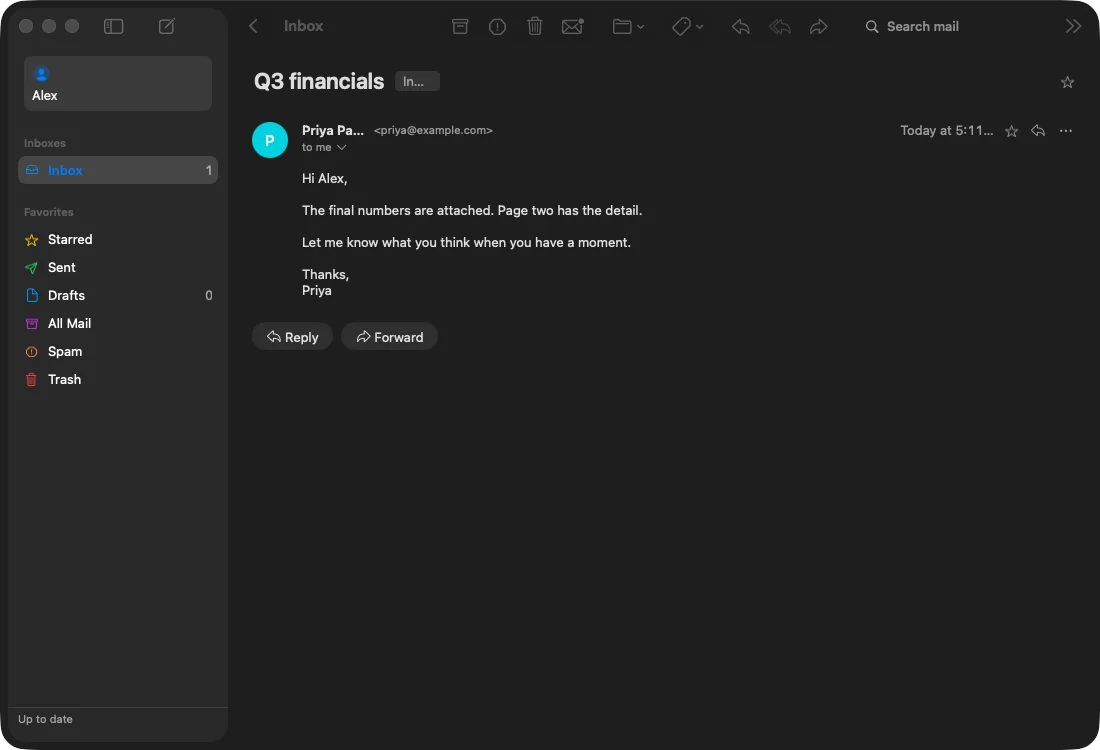
- Notifications go to the right placeClick a new-mail notification and Briskmail opens the account that received it.
- See background workThe sidebar activity line shows sync, attachment downloads, and offline work without taking over the reading view.
Draft first. Send when ready.
Compose and reply in a separate Mac window. Save the message as a Gmail draft, or close the window to save your changes without sending.
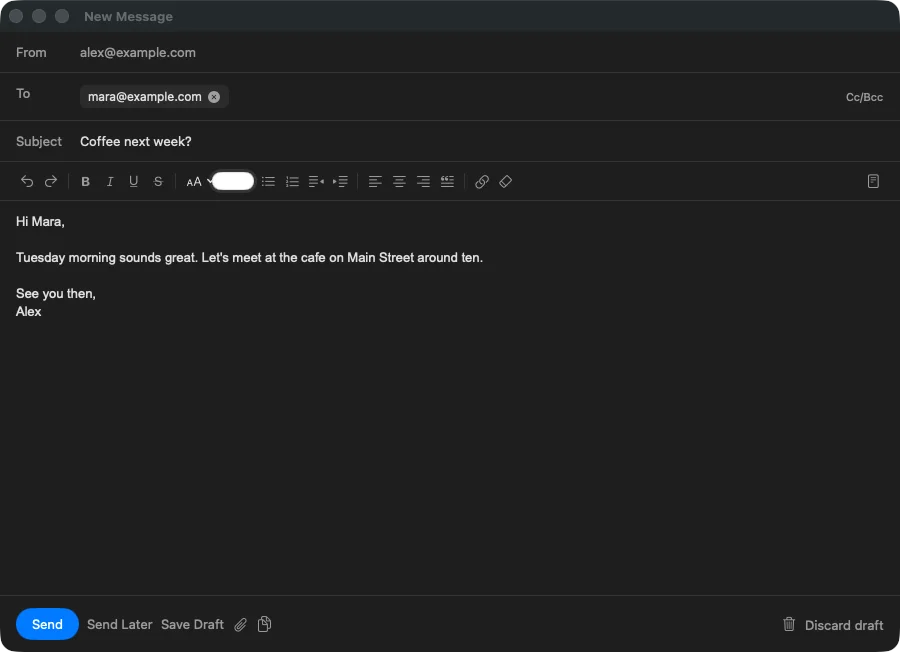
- Replies stay in their threadBriskmail carries the conversation headers Gmail needs to keep a reply with the original messages.
- Sending is a separate actionThe message leaves only after you click Send. You can return to a saved draft before that.
Briskmail is being prepared for release.
There is no public download or checkout yet. Explore the sample mailbox now, or email the person building Briskmail with a question.